OPINIONGuides
5 AI Workflow Habits That Will Save You Hours This Week
Admin·1h ago·7 min read
📑 Table of Contents
- ↳ 1. Turn Repetitive Tasks Into Reusable AI Templates
- ↳ 2. Give AI context before asking for output.
- ↳ 3. Let AI create the first draft.
- ↳ 4. Batch similar AI tasks
- ↳ 5. Add an AI quality-control step.
- ↳ A simple quality-control checklist
- ↳ Which AI Workflow Habit Should You Start With?
- ↳ Start With One Workflow, Not Five
- ↳ Summary
- ↳ Frequently Asked Questions
You don't need another AI tool. You need a better way to use the tools you already have.
Most people use AI one task at a time:
Write the prompt. ==> Edit it ==> Repeat the process for another task
Yes, this can save time, but it can create another layer of work.
The opportunity is to turn that into a repeatable workflow, and that's what we'll cover in this small but game-changing guide, "5 AI Workflow Habits That Will Save You Hours This Week." Actually, it'll make your life work easier.
So we'll cover
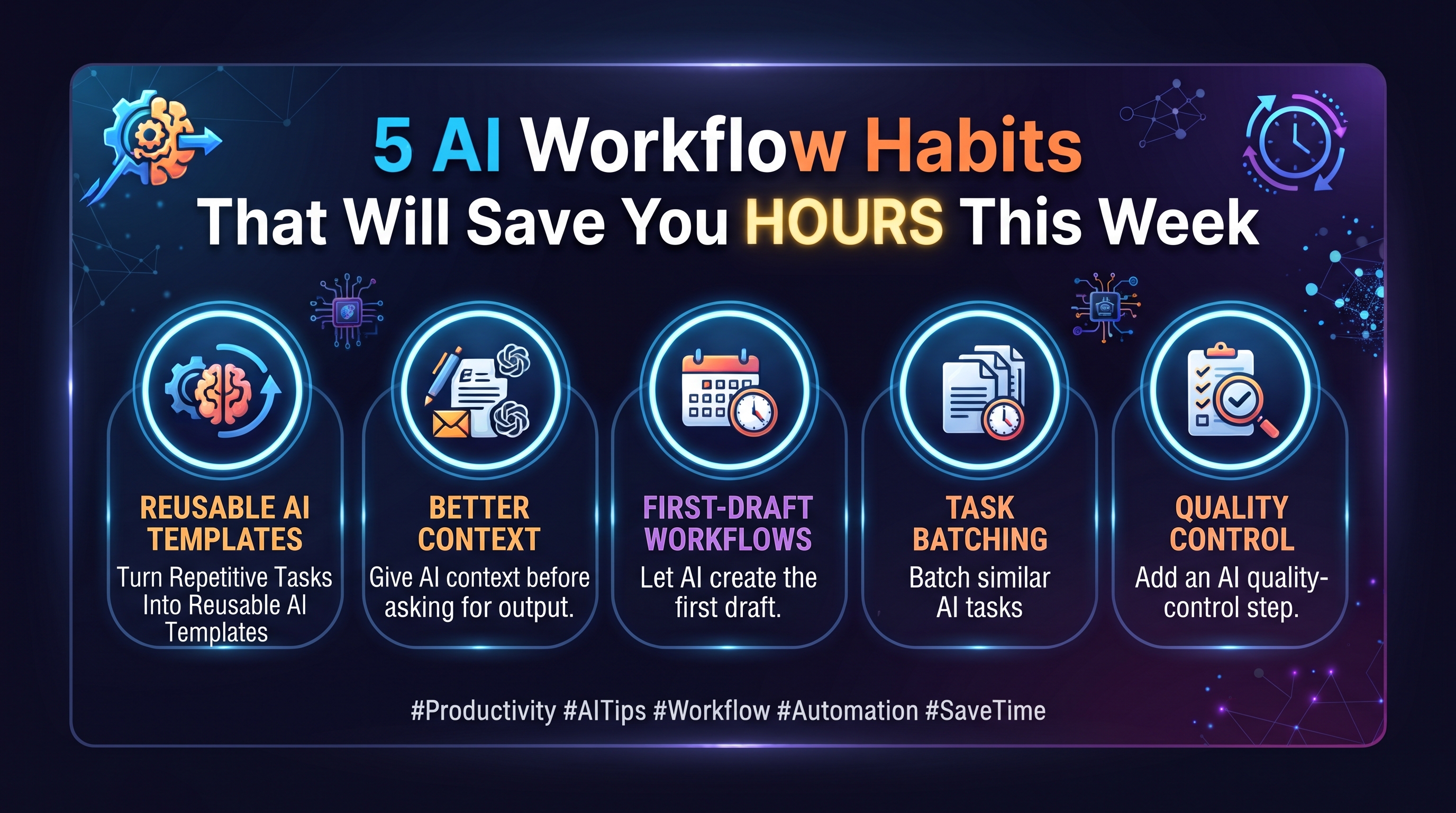
1. Reusable AI templates.
2. Better context.
3. First-draft workflows.
4. Task batching.
5. Quality control.
1. Turn Repetitive Tasks Into Reusable AI Templates
Yes, maybe you have many repetitive tasks that you do from time to time; maybe it's summarizing meetings, responding to similar emails, preparing reports, creating content briefs, or turning rough notes into organized documents, so you don't need to give AI the same prompt every time you do the same work; just make a template that you can use every time you do that work.
Instead of writing, "Summarize these meeting notes," every time, create a workflow that tells the AI what kind of summary you want, who it is for, what information matters, and how the result should be structured.
A simple template might look like this:
Meeting notes: [PASTE YOUR NOTES HERE]
Context: These are notes from a weekly project meeting.
Goal: Turn them into a concise project update.
Include: key decisions, completed tasks, outstanding tasks, blockers, owners, and deadlines.
Format: Use headings and bullet points.
Tone: Clear and professional.
Now you can reuse the same instructions and simply replace the meeting notes.
Here is another example for email replies:
-------------------------------------------------------
You are a professional communications assistant.
Write a reply to the email below.
- Tone: [friendly / formal / concise]
- Goal: [answer a question / resolve a complaint / request more information]
- Important details to include:
- [detail 1]
- [detail 2]
- Email: [PASTE EMAIL]
- Return only the finished email.
-------------------------------------------------------
2. Give AI context before asking for output.
Compare these two requests:
"Write a project update."
with:
"Write a 150-word project update for a client. The project is currently on schedule, the design phase is complete, development is 60% finished, and testing begins next Monday. Mention that the main remaining risk is delayed feedback. Keep the tone professional and reassuring and finish with the next milestone."
The second request gives the AI considerably more to work with.
I think you've noticed the difference; these two requests give completely two different results. Yes, that's the problem most people make; they don't give the model enough information to understand the task, so a useful framework might look like this:
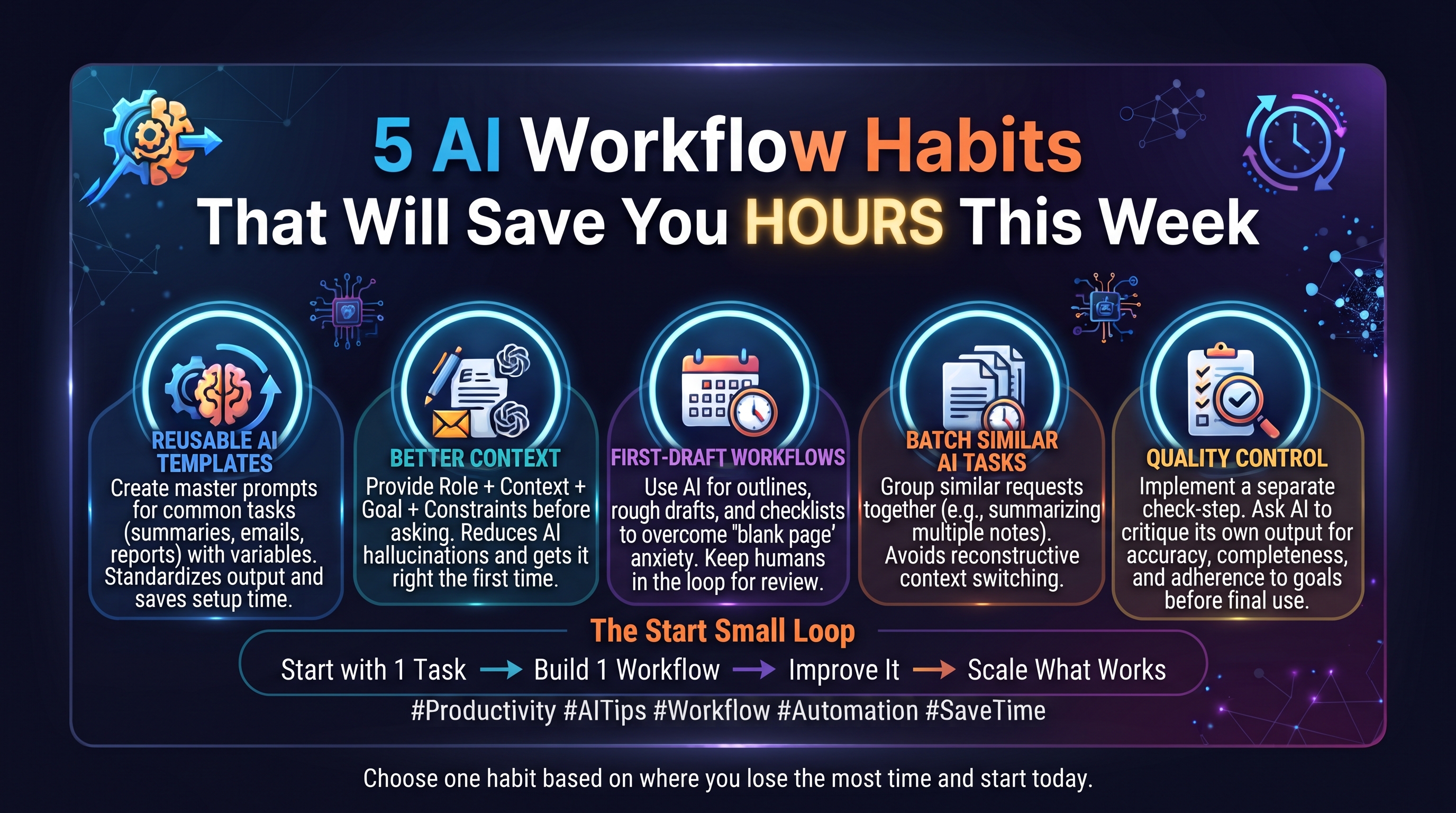
Role + Context + Goal + Constraints + Examples + Output Format
Example:
-------------------------------------------------------
- Role: You are a marketing copywriter.
- Context: Our company sells affordable project-management software to small business owners. Many potential customers currently manage projects using spreadsheets and email. They are interested in saving time but may not be comfortable with complex software.
- Goal: Write a short landing-page introduction that encourages visitors to try our software.
- Constraints:
- Use plain language.
- Do not make unrealistic claims.
- Keep it under 80 words.
- Emphasize simplicity and time savings.
- Examples:
“Manage projects without the spreadsheet chaos.”
“Everything your team needs to stay organized, in one simple place.”
- Output format: Provide one headline and one supporting paragraph.
3. Let AI create the first draft.
Starting from a blank page is often harder than improving something that already exists. So let AI do this starting point for you.
You can ask it to produce:
- An outline
- A rough draft
- A list of ideas
- A project plan
- A checklist
- Questions you haven't considered
- A first version of an email or document
- Possible approaches
The important distinction is that a first draft isn't a final decision.
The workflow looks like this:
AI generates → You review → AI revises → You approve
This keeps the human in the loop while reducing the friction of getting started.
For example:
-------------------------------------------------------
Suppose you need to write a 1,000-word article.
You could spend 30 minutes staring at a blank document and trying to decide where to begin.
Or you could give AI the topic, audience, purpose, key points, and desired structure and ask it to create a rough outline.
You can then remove weak sections, add your own ideas, change the structure, and ask AI to help develop specific sections.
The AI hasn't replaced your thinking. It has helped you move past the blank page.
Use AI for exploration, not automatic acceptance.
The first answer isn't necessarily the best answer; ask for alternatives.
Try:
"Give me three different approaches."
"What am I missing?"
"Challenge this plan."
"What would make this clearer?"
"Identify the weakest part."
"Suggest a simpler approach."
This can make AI more useful as a thinking partner rather than simply a content generator.
4. Batch similar AI tasks
Stop treating every AI task as a separate interruption. If you have several similar tasks, consider processing them together.
For example, instead of asking AI to summarize one document, switching back to your main work, and then doing another document later, collect several documents and process them using the same instructions.
You might batch:
- Meeting notes
- Customer feedback
- Research sources
- Emails requiring similar responses
- Content ideas
- Weekly reports
- Document reviews
Why batching helps
Every time you switch tasks, you have to reconstruct context.
What were you doing?
What instructions did you use?
What format did you want?
What information matters?
Batching reduces some of that repeated setup. But remember that the point isn't to batch everything; it's to recognize when you're repeatedly performing essentially the same AI-assisted process.
5. Add an AI quality-control step.
Saving time doesn't mean accepting the first AI-generated answer without checking it. In fact, one of the most useful AI habits is to build quality control directly into the workflow. Yes, that can take another extra minute, but it may prevent much larger problems later.
So after generating an output, ask AI to help identify potential problems.
For example:
"Review this draft against the requirements above. Identify anything missing, unclear, inconsistent, unsupported, or potentially inaccurate. Do not rewrite it yet. First, give me a list of issues to review."
This creates a separate checking stage.
A simple quality-control checklist
Before using important AI-generated work, check:
✔ Are the facts accurate?
✔ Are any claims unsupported?
✔ Did AI misunderstand the instructions?
✔ Is anything important missing?
✔ Are names, numbers, dates, and references correct?
✔ Does the output actually answer the original question?
✔ Does anything require expert or human judgment?
And make sure to check relevant facts against reliable primary or authoritative sources for important, crucial information.
Which AI Workflow Habit Should You Start With?
You don't have to implement all five at once. Choose based on where you're currently losing time.
| If you spend too much time... | Try this habit |
|---|---|
| Repeating the same instructions | Build reusable templates |
| Fixing poor AI outputs | Provide better context |
| Starting from a blank page | Use AI for first drafts |
| Switching between similar tasks | Batch your AI work |
| Checking or editing AI output | Add a quality-control step |
Start With One Workflow, Not Five
The easiest mistake is to read about AI productivity, get excited, and immediately try to redesign your entire workflow.
Don't do that; the goal isn't to use AI everywhere. It's to build a handful of reliable workflows that quietly save you time every week.
Start with one task ==> Build one workflow ==> Improve it ==> Then scale what works.
Summary
Frequently Asked Questions
How can AI save time at work?
AI can help with repetitive writing, summarization, information organization, brainstorming, drafting, classification, and other structured tasks. The amount of time saved depends on the task, the quality of the workflow, and how much review is required.
What tasks are best suited to AI?
Tasks with clear instructions, repeatable patterns, structured inputs, and predictable outputs are often good candidates. Repetitive drafting, summarization, formatting, and information extraction are common examples.
How do I create a reusable AI prompt?
Start by documenting the task, desired outcome, relevant context, constraints, and preferred output format. Test the prompt on several real examples and update it whenever you repeatedly make the same correction.
A
Admin
Tech journalist
Comments (0)
🔒
Join the conversation
Create a free account to comment.